
Docs / Use cases
Set approval flows for access requests
ℹ️ What is an approval flow ?
At Corma, approval flows let you define who approves user access requests, and in what order, for each app. You can configure multi-step approval flows tailored to your internal ownership structure, bringing clarity, control, and accountability to every access request. A default flow can also be defined for consistency across ap
🎬 See it in action here 🎬
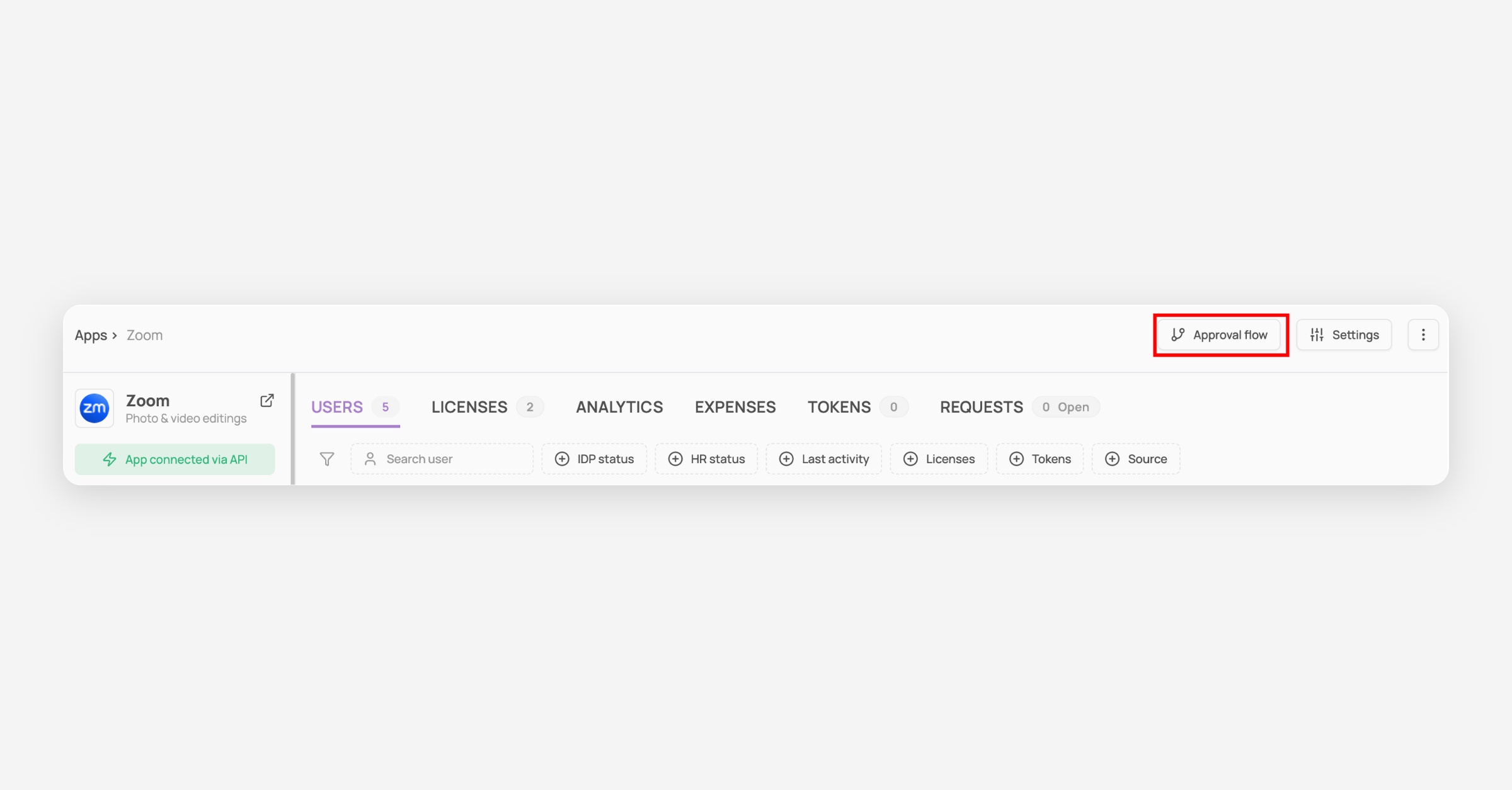
Navigate to the Applications module

Click on a specific app
Click on "Approval flow"
Set up the approval flow
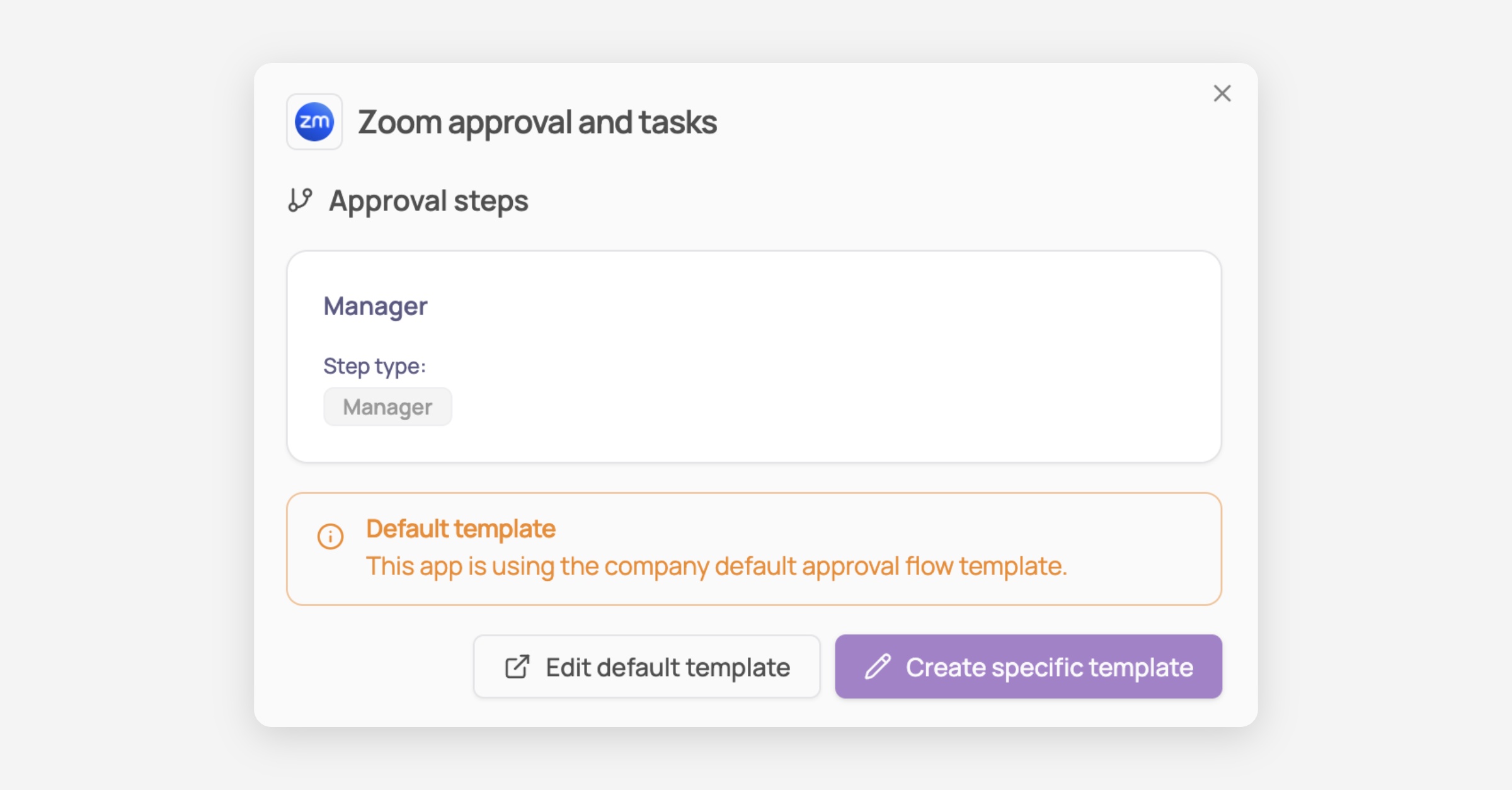
Option 1: Set up a custom approval flow (specific app level)
Click on "create specific template"
Create your first approval step
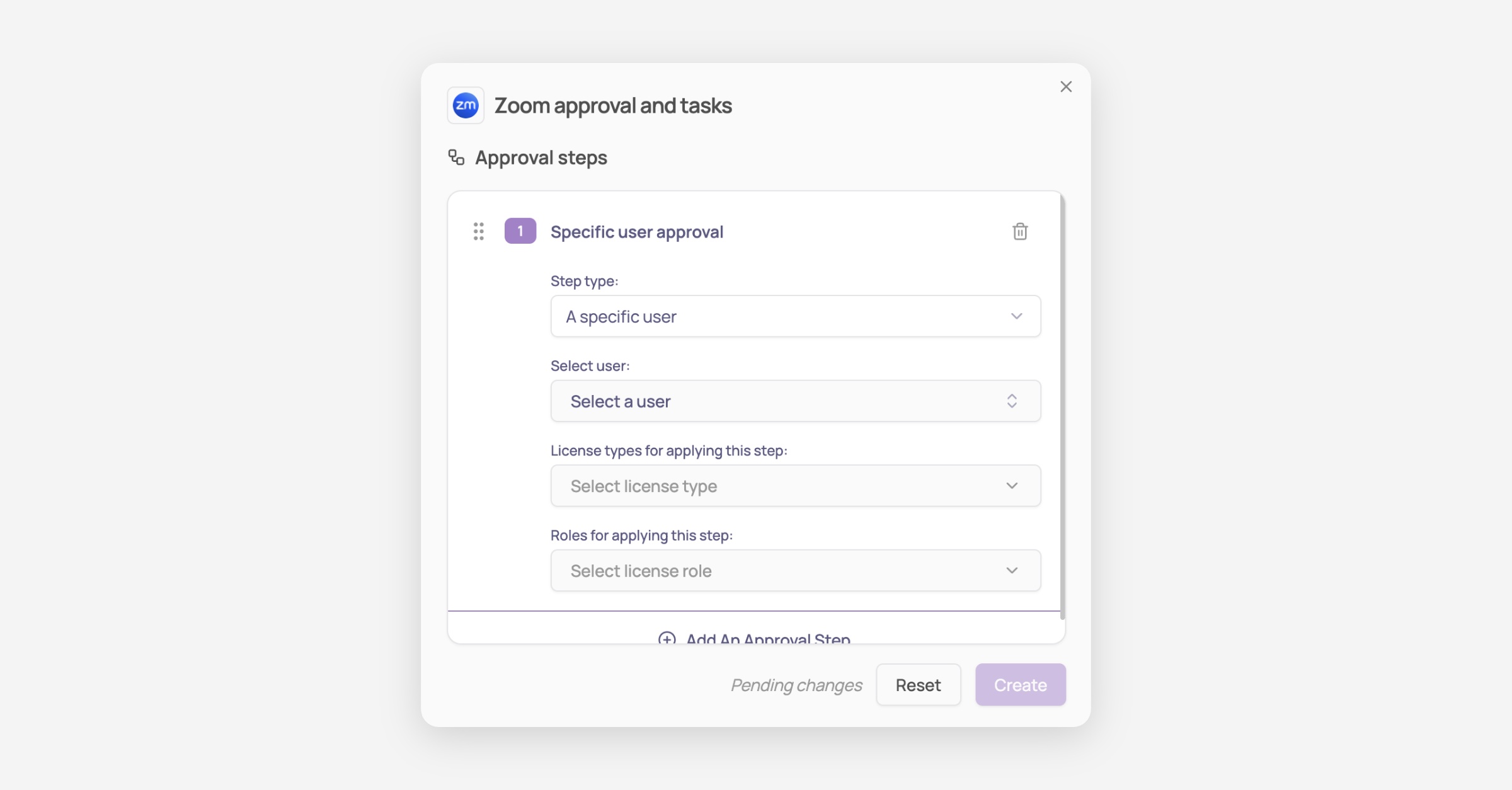
With Corma you are able to:
Edit the title of the step
Select who needs to approve this step (e.g. Manager, specific user)
Choose which license type this step applies to (if Premium is selected, this step only applies if the requested access is for a Premium license)
Select the Role this step applies to (e.g. Standard, admin)
Add additional steps (optional)
Depending on the criticality of the app, you can add more steps to the approval flow
Option 2: Use the default approval flow (all apps)
From the screenshot above click on "edit default template" or navigate to settings > Security
Edit the default flow
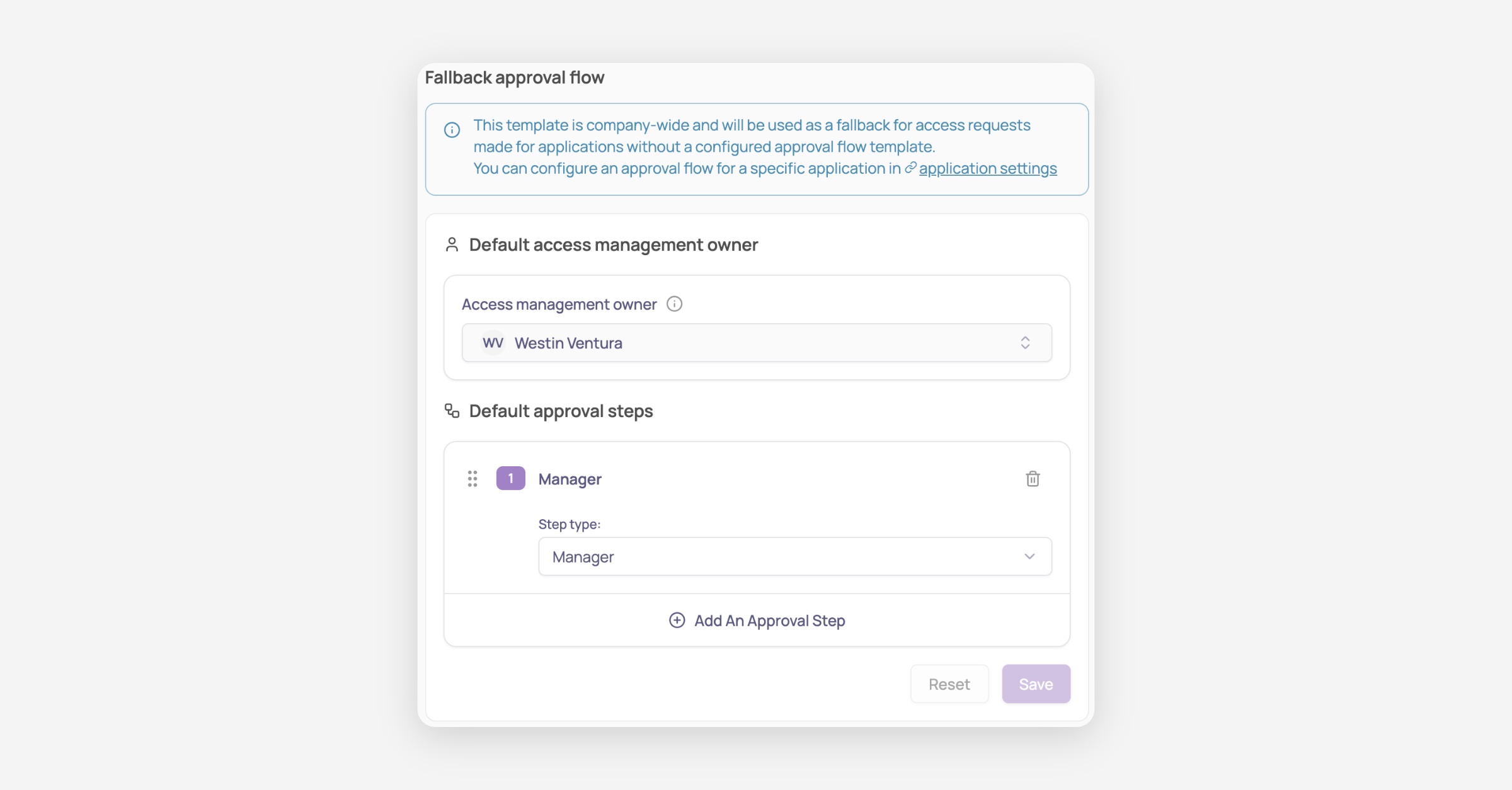
Edit the access management owner: it is the fallback user (when the application has no owner) who will be attributed the task of manually provisioning the access to the application if Corma cannot automate it via API
Edit the default approval steps
Was this helpful?