
Docs / Concepts
Access reviews
Automate your access reviews
Note: Our access review module is in alpha version to collect initial feedback. It is still missing important elements such as notifications, recurring reviews, and others that will be implemented.
Module Overview
The Access Review Module is designed to help administrators and IT teams regularly audit, validate, and manage user access to applications, ensuring least privileged access - meaning only authorized users retain access to the tools they need.
Access the Review module by clicking on the dedicated page in the left sidebar.

🎬See it in action here (4 min)
Why It Matters
Enhanced Security: Reduce unauthorized access risks.
Regulatory Compliance: Meet standards like GDPR, ISO 27001, and SOC 2.
Operational Efficiency: Save time and minimize manual effort.
Key Features
Create & Configure Reviews: Admins can launch reviews, select target apps to be reviewed, define reviewers and review owners, and set deadlines
Duplicate reviews
Reviewer Workflow: Reviewers see assigned accesses and can maintain, revoke, or add comments.
Progress tracking: admins can monitor the overall progress of the review from their dedicated dashboard
Task Automation: Completion triggers task creation (e.g., revoking access).
Export & Reporting: Download results in CSV in separate files for review decisions and remediation tasks
Notifications: Reviewers get email/Slack alerts when a review starts.
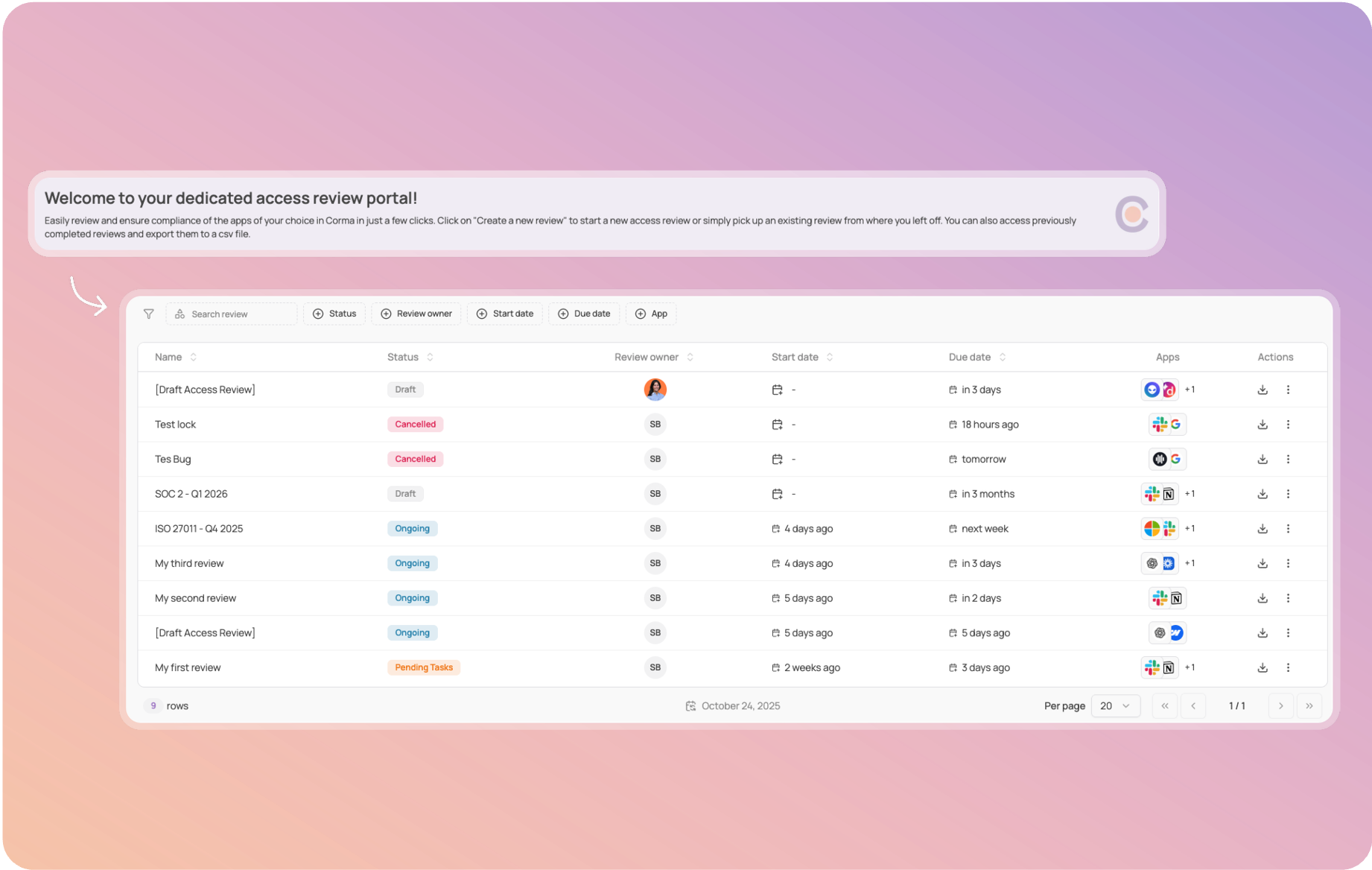
Review statuses
Access reviews are organized into campaigns, each of which is associated with specific statuses to track progress and outcomes. These statuses provide clarity on the review process, ensuring transparency and accountability.
Draft: The campaign has been created but not yet launched. Admins can still edit settings, scope, and approvers.
Ongoing: The campaign is active, and approvers are currently reviewing access rights. Decisions to revoke or maintain an access are still in progress.
Pending Tasks: All review decisions have been made. Tasks are now being created (either automatically through integration or manually) to apply the outcomes. The review is considered completed once these tasks are finalized.
Completed: All actions have been submitted, and access changes have been applied. A final report is available for download.
Cancelled: The campaign was manually cancelled by an admin before completion. No access changes have been applied.
Roles: Review Owner vs Reviewer
The Access Reviews module in Corma relies on distinct roles to manage responsibilities throughout the certification lifecycle. These roles are involved at different stages—including certification creation, performing access reviews, managing certification progress, tracking remediation actions, and generating audit-ready reports.
Role | Review owner | Reviewer |
|---|---|---|
Definition | The person overseeing the entire review process. Typically the admin or manager initiating the review. | The individual(s) responsible for evaluating specific access rights within the review. Can be: app owner, access owner, contract owner, manager, license user, specific user |
Responsibilities |
|
|
🎯 Use cases
Was this helpful?