
Docs / Concepts
Users
View and manage every user in your organization
Overview
Users page
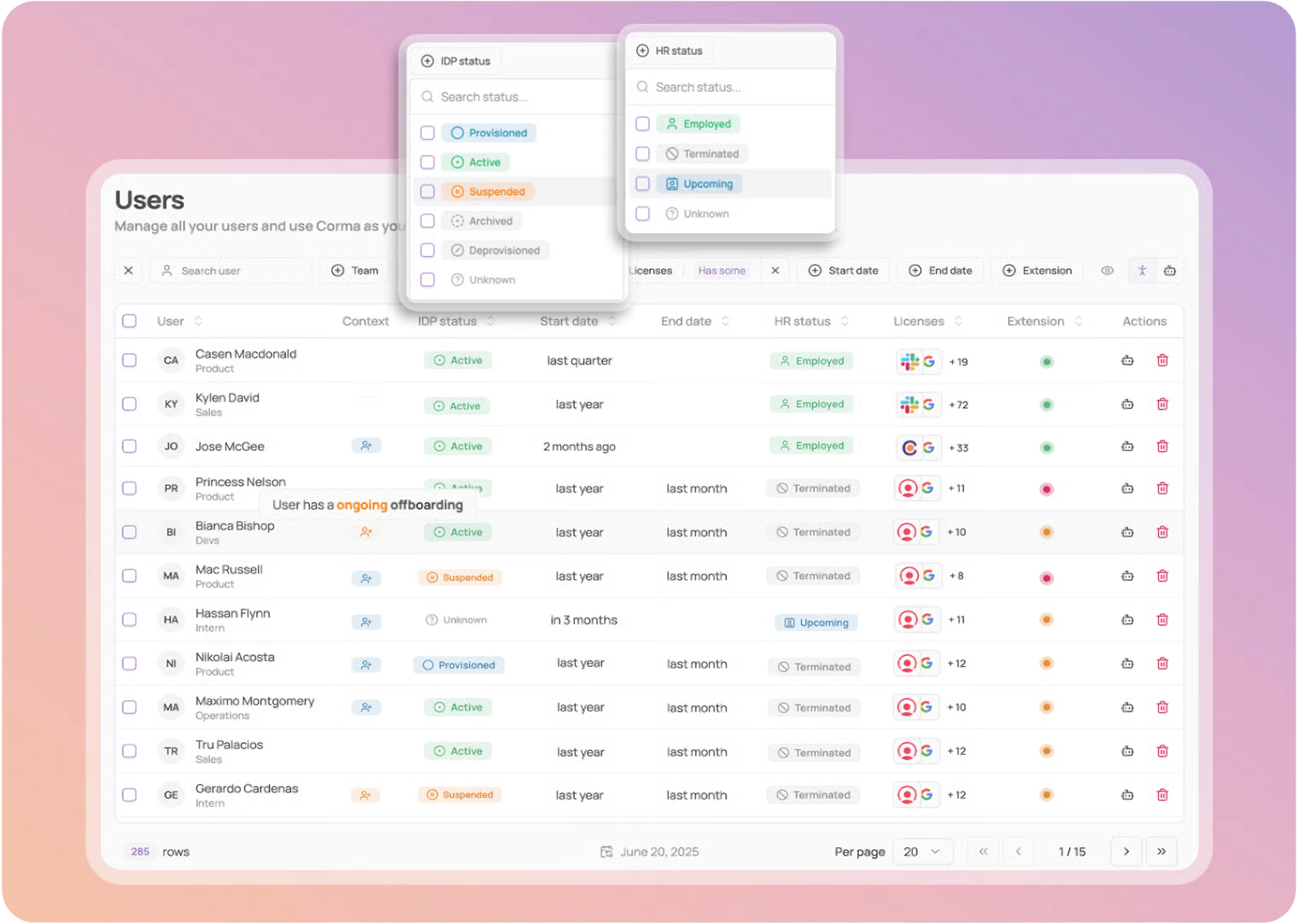
Corma's Users Module provides teams with a structured and reliable view of every user in the organization. It centralises HR and IdP (Identity Provider) data to simplify access management, ensure compliance, and surface inconsistencies.
Split Statuses: HR and IdP statuses are displayed independently, making it easy to detect mismatches such as Active in IdP but Terminated in HR.
Granular Filters: Users can be filtered and sorted by HR or IDP status, enabling quick identification of off-boarded users, suspended accounts, or upcoming hires.
Streamlined Interface: A structured table layout brings together start and end dates, licenses, and extension status, giving teams a comprehensive view of each user and the ability to take immediate action directly from the page.
User-specific page
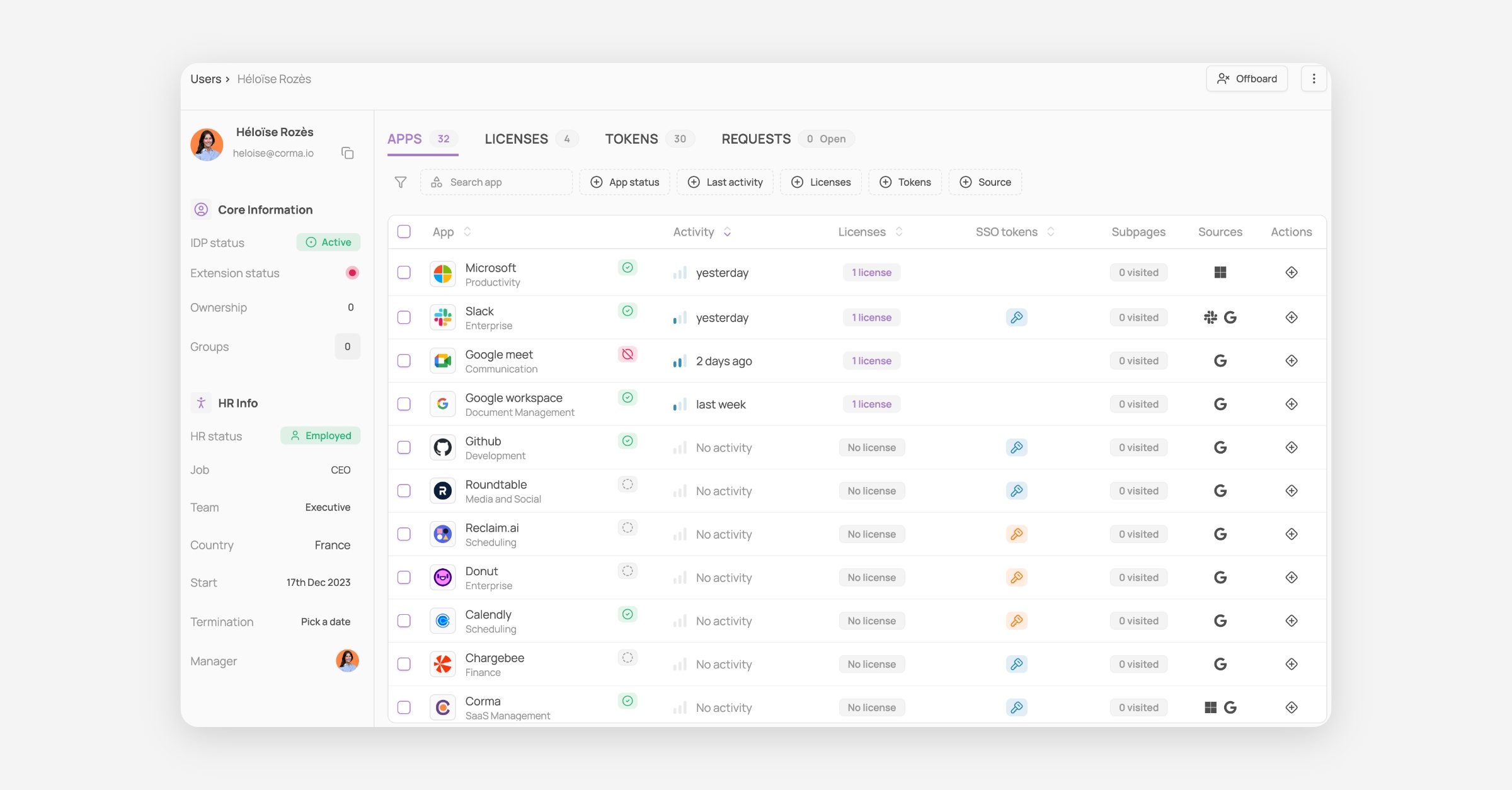
The User-specific page provides a complete view of an individual user, combining HR, IDP, and license data in one place. It allows teams to quickly assess a user’s profile and take immediate actions when needed.
Comprehensive Profile: Each page includes IDP and HR status, job details, groups, and manager information, offering full context on the user.
Apps overview: All apps used appear here, with Activity, number of associated licenses, SSO Tokens, Subpages visited and sources
License Overview: All licenses associated with the user are listed with their status, permissions, activity, usage, and source, making it easy to identify unused or misconfigured access.
Tokens: Shows which apps are connected to your account, what specific scopes they have, and lets you monitor or revoke their access for security.
Requests: Access requests can be tracked directly from this tab
Streamlined Actions: From this page, teams can act directly on licenses or user information, ensuring faster responses to onboarding, off-boarding, or compliance needs.
🎯 Use cases
Was this helpful?