
How to track a ticket's approval and provisioning?
When an access request is approved, Corma automatically creates a linked provisioning ticket to carry out the grant — so a single request can involve two connected tickets: the approval itself, and the action that follows it.
From the request ticket
Open any ticket with context "Access request."
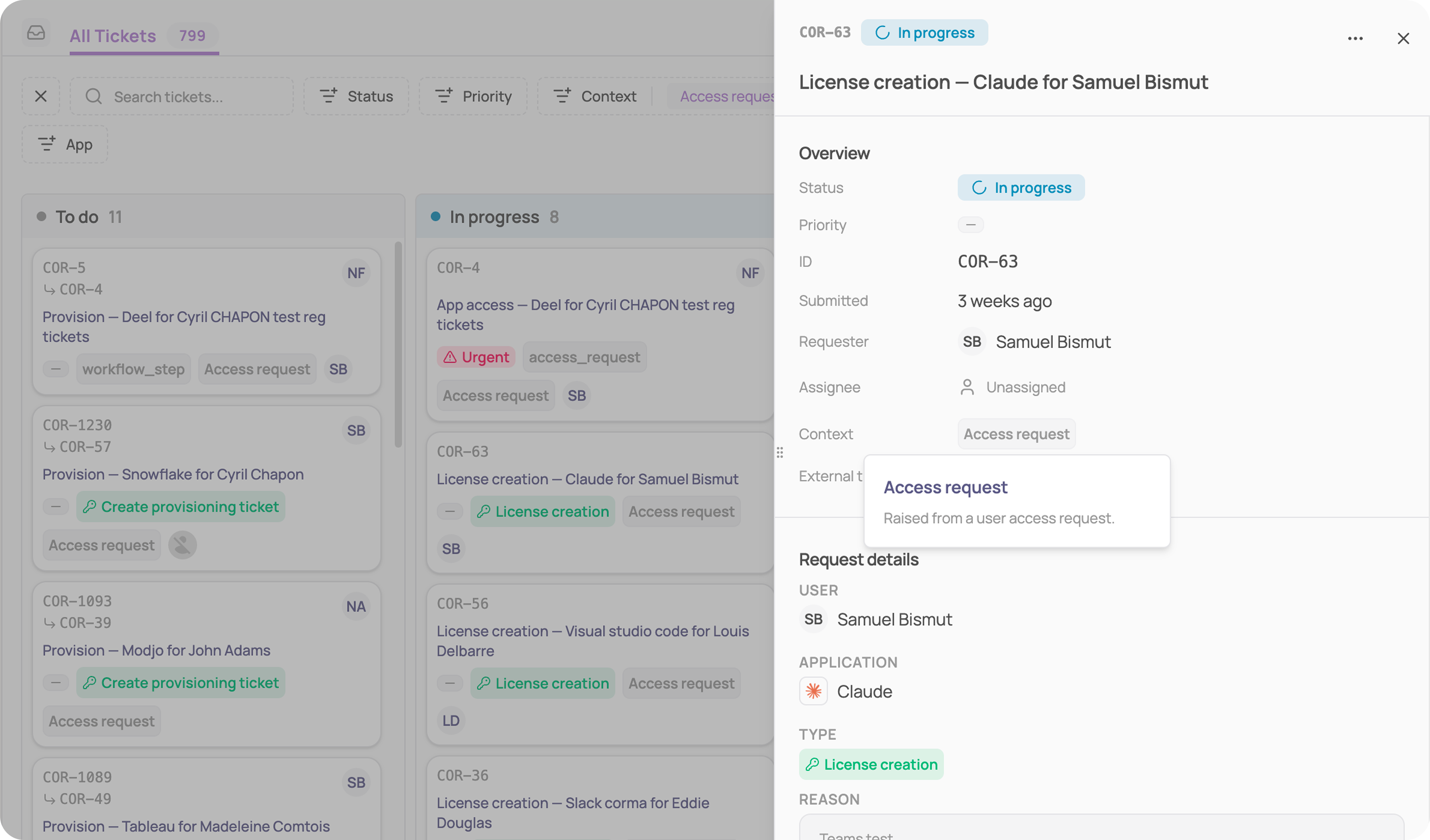
Check the Approvals section to see the full approval chain: each step, who needs to approve it, and its current status.
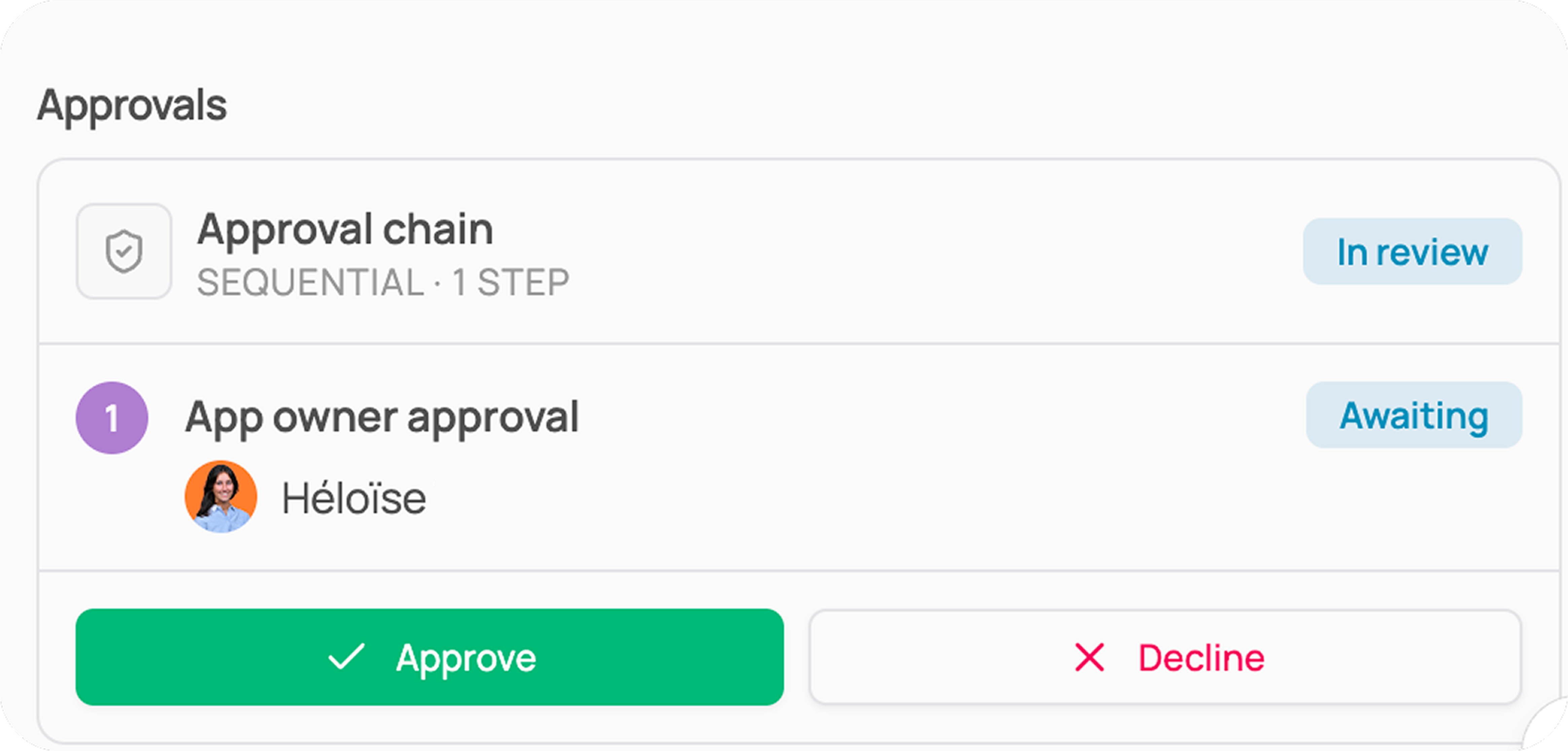
If someone with authority approves out of turn, that step shows "Overridden by [name]" instead of the originally assigned approver.
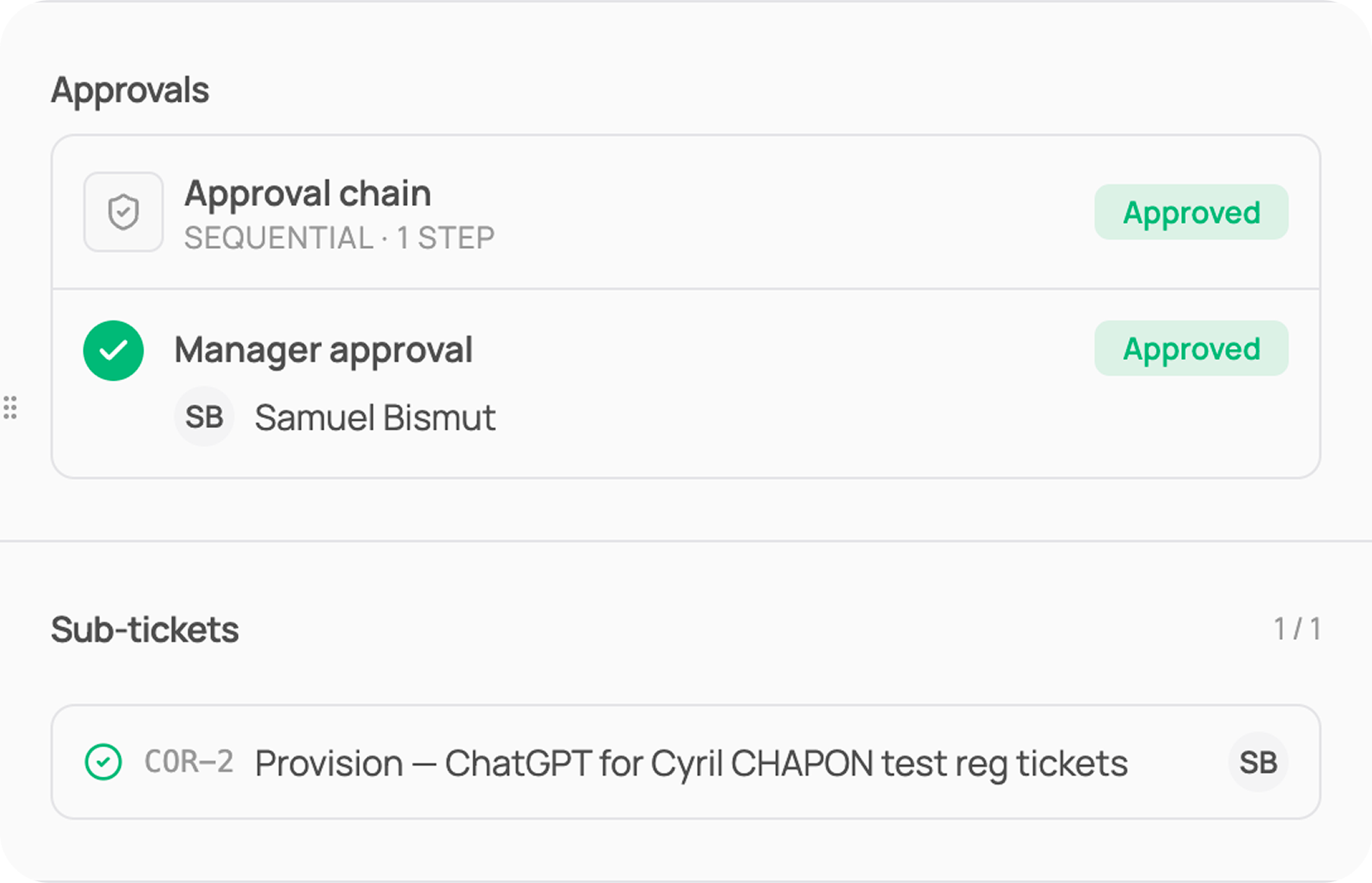
Once every step is approved, a new ticket appears under Sub-tickets — this is the provisioning ticket carrying out the access grant.
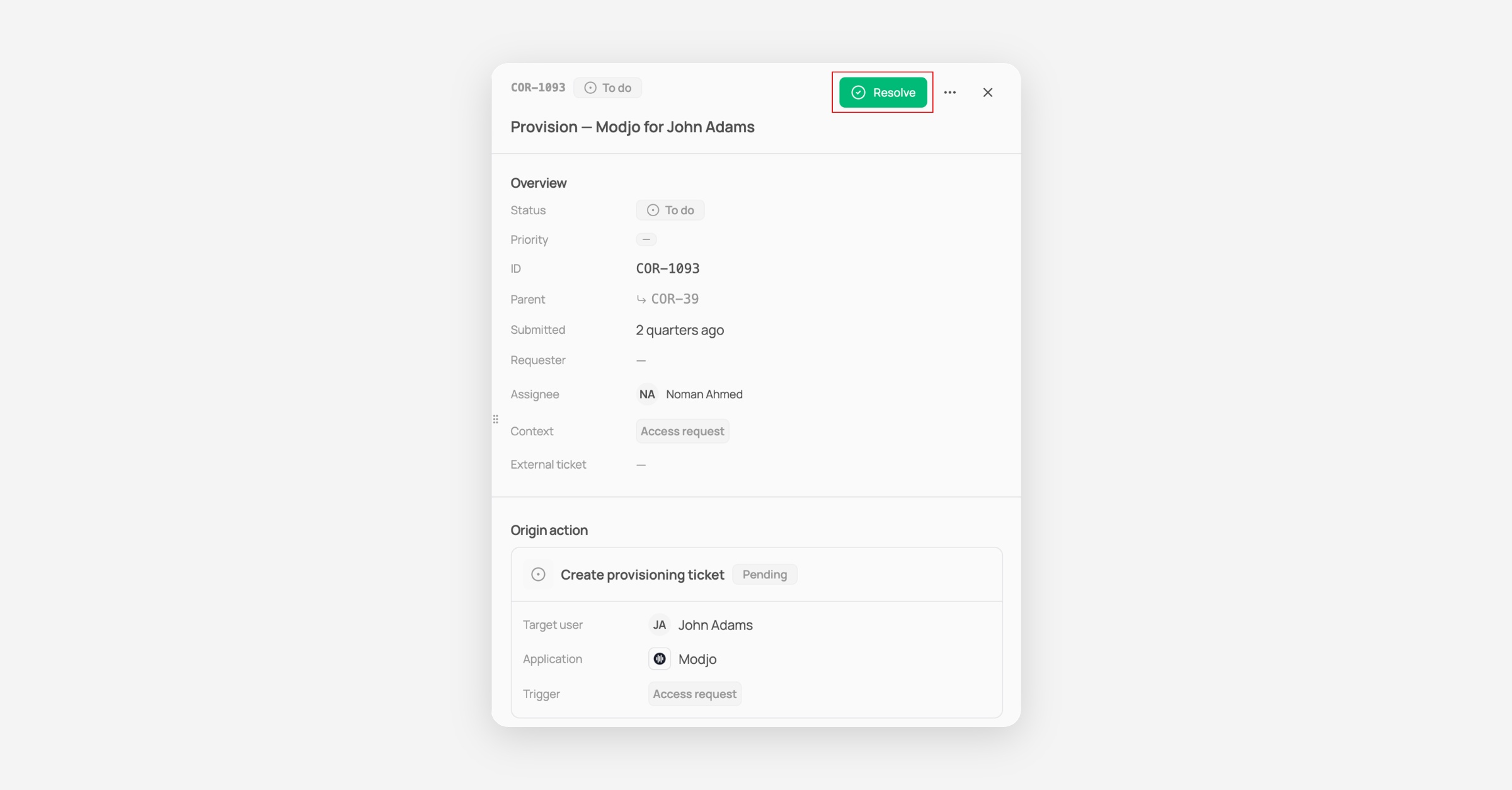
From the provisioning ticket
Click into the ticket listed under Sub-tickets.
Check the Parent field — it links back to the original request ticket, so you can always trace the ticket back to what triggered it.
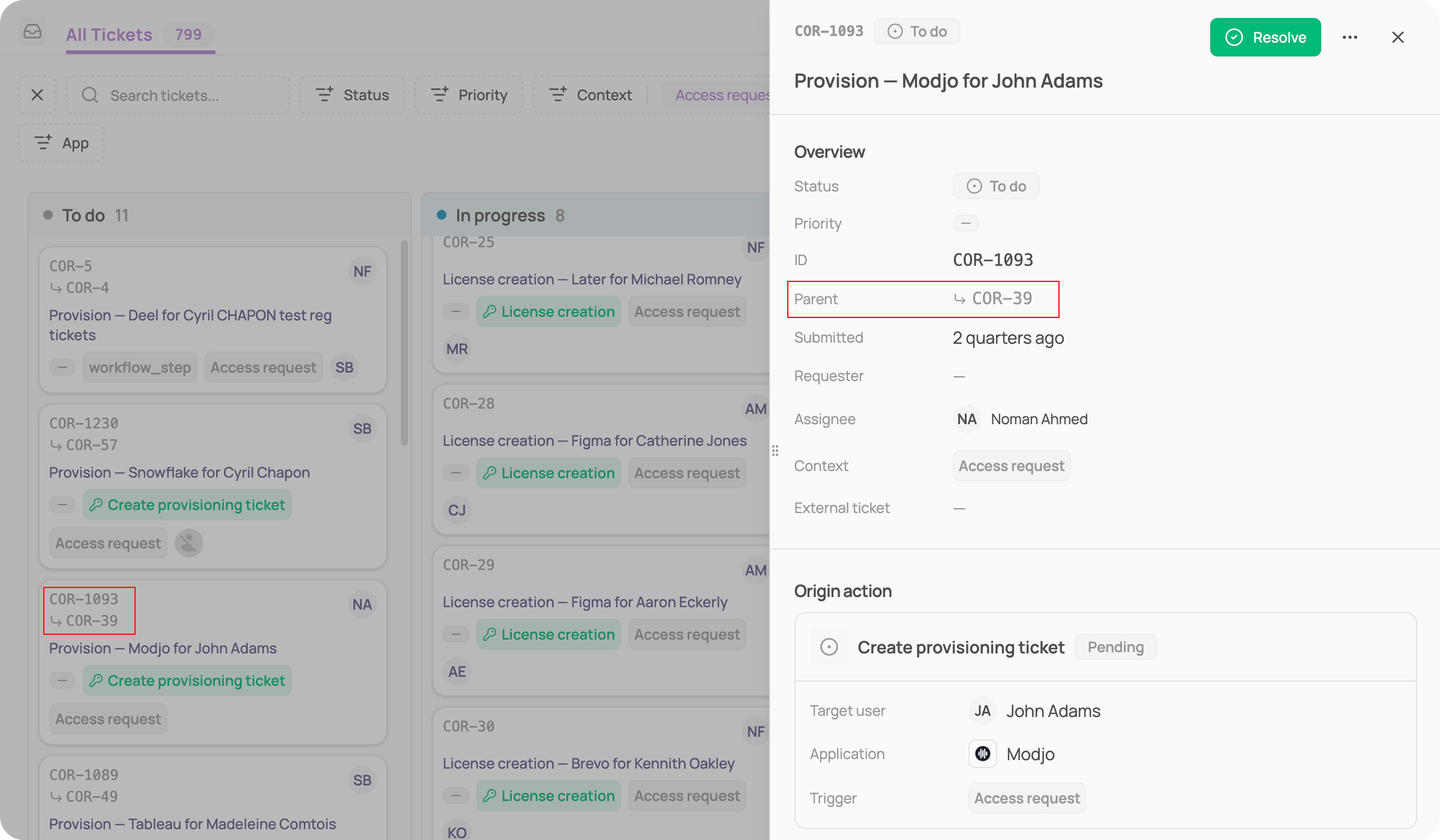
Check the Origin action section to see the target user, the application, and the Trigger (e.g. "Access request")
Once the access has been granted, click Resolve in the top right to mark the ticket done.
Was this helpful?